
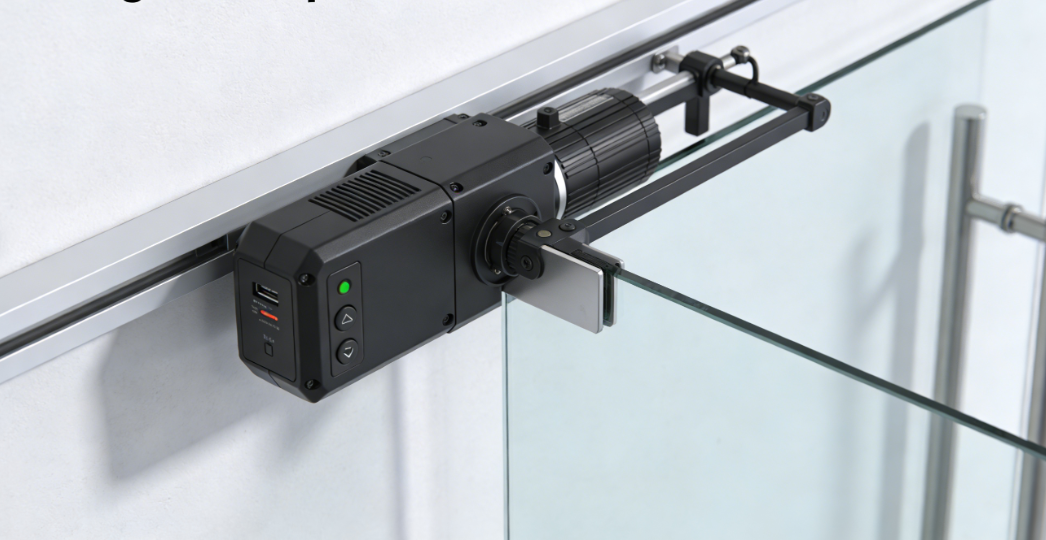
Integrating your automatic electric door opener with your smart home system transforms it into a central, intelligent component. This offers enhanced convenience, security, and control over your home’s access points. You can manage your automatic open and close door system remotely through smartphone apps, providing control from anywhere. Your smart system also sends instant alerts, notifying you of any door operation, which significantly boosts security. Discover how this integration elevates your living experience, providing unparalleled control and peace of mind. An automatic swing door opener or an automatic sliding gate motors system seamlessly integrates, allowing for automated actions. An electric swing gate opener or an automatic swing door operator can also improve accessibility for all users.
Key Takeaways
- Integrate your automatic electric door opener with your smart home system. This gives you better control and security for your home.
- Smart door openers offer great convenience. You can open or close your door from anywhere using your phone.
- These systems make your home safer. They send alerts for door activity and let you control access remotely.
- Smart door openers help save energy. They can close automatically and use smart schedules.
- Smart door openers make your home more accessible. They help people with mobility issues open doors easily.
Why Integrate Your Automatic Electric Door Opener with Your Smart Home?
Enhanced Convenience with Your Automatic Electric Door Opener
You gain unparalleled control over your home’s access points. Imagine opening your door for a delivery or a family member, even when you are away. Smart systems offer remote access through smartphone apps. This allows you to open or close your door from any location. You can let children in if they forget their keys or open the garage as you arrive home. These systems integrate seamlessly with other home automation systems for unified control. Furthermore, they significantly improve accessibility. You can easily control the door from both inside and outside your home. This benefits individuals with mobility issues or those managing multiple items. It also helps with package deliveries by allowing remote opening and closing. You can program parameters like manual push force, locking modes, and hold opening times with an intuitive handheld programmer. This fine-tunes your settings.
Improved Security Through Smart Monitoring and Alerts
Your smart system actively protects your home. It provides detailed access logs, showing you who enters and exits your property. You receive instant alerts for any activity, giving you real-time awareness of your home’s security status. Remote control capabilities allow you to manage door access from anywhere, adding a crucial layer of security. Encryption protects communication between the opener and its controls from unauthorized interception. Smart automatic electric door openers enhance security by integrating electric strike locks and access keypads, preventing unauthorized entry. These systems allow you to securely lock the door as needed. Advanced safety features like obstacle detection and anti-pinch functions, often enhanced with AI sensors, prevent accidents during operation. A Geo-Services feature can alert you if you leave home without securing the door. It sends a pop-up smartphone alert, allowing immediate door closure from any location. You also receive a smartphone reminder if the door is not closed when you leave home.
Energy Efficiency with Smart Scheduling and Geofencing
Smart scheduling helps you manage your home’s energy use effectively. Your system optimizes operation times, reducing consumption during peak periods. Smart controls ensure doors are not left open unnecessarily. This contributes to significant energy savings over time. These systems also incorporate energy-efficient LED lighting and standby modes to minimize power usage. You can schedule door and light operation, including timed, automatic door closing. A low-power standby mode dramatically reduces energy consumption. Smart door openers enhance energy efficiency by allowing you to remotely close the door if you forget, preventing energy waste in climate-controlled spaces. This automation ensures the door is secured and eliminates vulnerabilities associated with leaving it open.
Accessibility Benefits for All Users
Your smart home system significantly enhances accessibility for everyone. It particularly benefits individuals with mobility challenges. An automatic electric door opener eliminates the need for physical exertion. You can open doors without pressing buttons or struggling with heavy doors. This is especially helpful for wheelchair users and those with limited mobility. Options like voice activation and proximity sensors provide hands-free operation.
You gain ultimate accessibility through remote control functionality. You can activate the door from anywhere in your home. Use various methods such as key fobs, wall-mounted buttons, or smartphone apps. Remotes are easy to operate with fingers, palms, or the side of your hand. This flexibility ensures you always have control.
These systems offer adjustable opening angles and hold times. Doors can open up to 120 degrees. This facilitates easy entry and exit for wheelchair or scooter users. The hold-open feature is adjustable from 5 to 50 seconds. This ensures ample time to pass through the doorway comfortably.
Smart door openers are compatible with a wide range of doors. They work with standard and heavy-duty doors. They also support left- or right-hinged doors, and inward or outward opening doors. This broad applicability means you avoid significant architectural modifications. These systems also simplify access for home health aides or family members. They allow remote or code-based entry. This proves especially useful in emergencies.
How Your Automatic Electric Door Opener Becomes a Smart Home Brain

Understanding Smart Home Hubs and Protocols for Automatic Electric Door Openers
Your smart home hub acts as a central translator, allowing different devices to communicate effectively. It forms the core of your smart home system. This hub enables your various smart devices, including your automatic electric door opener, to interact and coordinate actions. You connect your door opener to this central brain. This connection allows it to receive commands and send status updates.
Smart home systems rely on specific communication protocols to facilitate this interaction. These protocols are like languages devices speak. ZigBee, for example, facilitates direct device-to-device communication, enabling coordinated actions. Z-Wave also allows direct device interaction within your smart home system. Thread supports device-to-device communication without constant hub supervision. Wi-Fi and Bluetooth are also common for general smart home device interaction. These protocols allow your smart lights to turn on when a motion sensor detects movement. They also enable your thermostat to adjust heating or cooling if a window sensor detects an open window. You can even set up your smart lock to trigger a camera to record when it engages or disengages. Voice assistants like Siri can control HomeKit-compatible devices, allowing you to say, “Hey Siri, open the garage door.”
Types of Integration for Your Automatic Electric Door Opener: Direct vs. Indirect
You can integrate your automatic electric door opener into your smart home system in two primary ways: directly or indirectly. Direct integration means your door opener connects straight to your smart home hub or network. Many newer models offer built-in Wi-Fi or other smart home protocols. This allows them to communicate without additional hardware. You simply pair the device with your hub. This method often provides the most seamless experience and fastest response times.
Indirect integration involves using an intermediary device, such as a smart garage door controller or a universal smart home bridge. You might use this method for older door opener models lacking native smart capabilities. The intermediary device connects to your existing opener and then communicates with your smart home hub. This bridge translates commands between your smart home system and your door opener. While it might add a slight delay, indirect integration effectively upgrades your current system. It avoids the need for a complete replacement. Both methods ultimately give you smart control over your door.
Key Features of a Smart Automatic Electric Door Opener: Voice Control, Scheduled Operations, Sensor Triggers
Your smart automatic electric door opener offers powerful features that enhance convenience and security. You gain control through voice commands, scheduled operations, and sensor triggers.
Voice control provides an effortless way to manage your door. You can simply speak a command, and your door responds. This feature integrates with smart speakers like Amazon Alexa or Google Assistant. For instance, the Open Sesame Model 133 system uses a wireless Voice Interface compatible with Alexa. This interface plugs into a power outlet near your door. It transmits voice commands from your smart speaker, the Alexa app, or even eye-gaze programs to the door opener. You might say, “Hey Alexa, front door power on,” to open your door. The system allows you to program the door to stay open for a customizable duration. It also includes obstruction detection for safety. For enhanced security, these systems can work with smart deadbolts. These deadbolts require a code to unlock, adding an extra layer of protection even if someone knows the voice command. You can also find smart home retrofit packages for existing automated doors. These packages allow access and control using voice commands. They utilize off-the-shelf smart home hubs and voice assistant speakers.
Scheduled operations allow you to automate your door’s behavior based on time. You can program your door to unlock and remain open at specific times. Imagine your door unlocking automatically at the start of a fitness class, then relocking afterward. This demonstrates its utility in managing access for specific events. You can set up weekday home gate automation without auto-closing. For example, you can schedule your gate to open at 8:00 AM, Monday to Friday. The output does not remain active, allowing manual closing. Then, you can schedule it to close at 8:00 PM, Monday to Friday. If the gate is open in the evening, this automation will close it. For a shop gate, you might set a single automation to open at 7:00 AM, Monday to Sunday. The output remains active for 660 minutes (11 hours) to override the built-in automatic closing feature. This keeps the gate open until 6:00 PM.
Sensor triggers provide dynamic automation based on environmental cues. Various sensors can detect movement or presence, triggering your door to open or close automatically. Motion detector sensors typically use microwave technology to detect movement from people, objects, or animals, prompting the door to open. Presence sensors, activated by wave sensors, ensure the door operates safely if someone remains motionless within its range, preventing collisions. Dual technology sensors combine both motion and presence sensing capabilities. Some models even project a light row to indicate presence. Photoelectric beam sensors, positioned on either side of the door, detect anyone in the threshold area to prevent the door from closing on them. Active infrared sensors emit an infrared signal to the floor and activate the door when an object or person obstructs the signal. Passive infrared sensors detect thermal patterns (heat sources) in the vicinity to activate the door. Microwave sensors emit and analyze the bounce-back of a wide array of wavelengths to determine an object’s proximity.
Step-by-Step Guide to Integrating Your Automatic Electric Door Opener
Assessing Compatibility for Your Automatic Electric Door Opener
Before you begin integrating your door opener, you must first determine its compatibility with smart home systems. This initial assessment saves you time and effort. You need to check several factors to ensure a smooth transition to a smart setup.
Consider the manufacturing date of your opener. Openers made after 2012 are generally more likely to be smart-home compatible. Look for built-in connectivity features like Wi-Fi or MyQ. These indicate direct support for smart integration. You should also check for visual indicators on the unit itself. Look for smart labels, Wi-Fi indicators, or specific LED lights. These often signal smart capabilities.
You can also utilize compatibility tools. Tools like the MyQ Compatibility Tool or the HomeLink Compatibility Checker help you verify if your existing opener works with smart systems. Determine if your opener has native built-in smart features or if you can make it smart with add-on controllers. Core smart features you want include Wi-Fi connectivity, mobile app control, integration with smart home hubs (like Alexa, Google Assistant, or Apple HomeKit), automation/scheduling, and activity tracking. Consider how well it integrates with specific ecosystems such as IFTTT or SmartThings. Also, think about the installation complexity; you want to know if it is plug-and-play or if it requires wiring. Finally, check the quality and availability of any associated mobile applications.
💡 Tip: The Americans with Disabilities Act (ADA) sets primary compatibility standards for automatic electric door openers. Section 404.3 mandates compliance with industry standards developed under ANSI and published by BHMA. These standards cover operating characteristics like opening speed, safety features, sensors, activation devices, and labeling. The ADA also specifies requirements for activation devices, such as handicap push buttons or touchless activation switches. These devices must be operable with one hand and without excessive force (no more than 5 lbf). You must maintain clear floor space around activation devices to prevent users from being hit by the door swing.
Choosing the Right Smart Home Platform for Your Automatic Electric Door Opener
Selecting the correct smart home platform is crucial for a seamless experience. The platform acts as the central nervous system for your smart devices, including your automatic electric door opener. You want a platform that offers robust control and integrates well with your other smart devices.
Many leading platforms offer excellent integration capabilities. For residential doors, platforms like DOOR explicitly list smart locks such as the C2 Smart Lock, M3 Mortise Smart Lock, Interconnect Smart Lock, and M2 Mortise Smart Lock. This indicates strong direct integration capabilities for various door types. Control4 is another powerful smart home platform. It connects a vast catalog of smart devices into one unified system for ‘Whole Home Control’ and ‘Smart Business’ solutions. Control4 emphasizes ‘Safety & Security’ and ‘Total Control’ over devices, implying its capability to integrate with various smart devices, including automatic electric door openers, even if specific door opener integration is not always explicitly detailed.
When choosing a platform, consider several key criteria:
- Connectivity Options: Look for platforms supporting Bluetooth, Wi-Fi, or hardwired integration.
- Smart Compatibility: Ensure the platform is compatible with smart home systems like Alexa or HomeKit for added convenience.
- Remote Control and Smart Features: The platform should allow remote operation via mobile apps.
- Integration with Smart Home or Building Systems: Ensure seamless connectivity with your existing security and automation systems.
Installation and Setup: Connecting Your Automatic Electric Door Opener to Your Hub
Once you have assessed compatibility and chosen your platform, you can proceed with installation. Safety is paramount when working with electrical components. Always turn off the power at the breaker or unplug the unit before handling any wires.
You will need a few tools for the physical installation:
- A sturdy stepladder for safe access to the ceiling-mounted unit.
- A drill and bits for mounting brackets or sensors.
- Small screwdrivers for terminal screws.
- Wire strippers for exposing fresh copper on control wires.
Follow these general steps to connect your automatic electric door opener to your smart home hub:
- Connect and Pair the Device: Plug the smart hub into an outlet near your opener. Use the manufacturer’s app to create an account and link the hub to your home Wi-Fi. You often find it easier to complete this step before mounting any hardware.
- Wire the Signal Controls: Locate the terminals on your existing motor where the wall button wires connect. Connect the signal control wires from your new smart device to these same terminals. Strip insulation if needed for a solid contact.
- Install the Door Sensor: Attach the sensor to the top panel of your garage door using the provided adhesive strips or screws. This sensor communicates the door’s position to the hub.
- Test the System: After wiring and sensor installation, restore power. Use the app to test the open and close functions. Ensure no wires get caught during operation.
- Mount the Controller and Organize Wires: Securely mount the smart controller hub to the ceiling or a nearby wall. Use zip ties to organize excess wires for tidiness and to prevent snagging.
For systems like myQ, you can connect your automatic electric door opener to the smart home hub by purchasing a Chamberlain Smart Garage Hub or by upgrading to a smart garage door opener with built-in myQ connectivity. Chamberlain and LiftMaster smart garage door openers can connect to myQ without needing additional hardware. You will need to download the free myQ App. Ensure your home has a strong Wi-Fi signal; this is required to control and monitor your garage through the myQ App.
Configuring Automation Rules and Scenes for Your Automatic Electric Door Opener
You have successfully integrated your door opener. Now, you can unlock its full potential. This involves configuring automation rules and scenes. These features allow your door to act intelligently. Your door responds to specific conditions or commands. This enhances convenience, security, and energy efficiency in your home.
Automation rules follow an “if-then” logic. You define a condition (the “if” part). Then, you specify an action (the “then” part). For example, “IF you arrive home, THEN open the door.” Scenes group multiple actions together. You trigger these actions with a single command or event. A “Goodnight” scene might close your door, turn off lights, and adjust the thermostat.
Setting Up Automation Rules for Your Door
You can create various rules to automate your door’s operation. These rules make your daily routines smoother.
- Geofencing Rules: Your smartphone’s location triggers these rules.
- You leave your neighborhood. Your door automatically closes and locks.
- You approach your driveway. Your door opens before you reach it. This eliminates waiting.
- Time-Based Schedules: You set specific times for your door to operate.
- Your door unlocks at 8:00 AM on weekdays. This allows easy access for family members.
- Your door locks at 10:00 PM every night. This ensures security while you sleep.
- You can schedule your door to remain open during specific hours for deliveries or events.
- Sensor-Triggered Actions: Other smart home sensors can activate your door.
- A motion sensor detects movement in your entryway. Your door opens for a set period.
- A contact sensor on a window detects it is open. Your door remains locked for security.
- You can link your door to a smart doorbell. When someone rings, your door can unlock for a pre-approved visitor.
Creating Smart Scenes for Unified Control
Scenes allow you to orchestrate multiple smart devices, including your door. You activate a scene with a single voice command or a tap in your app.
- “Welcome Home” Scene:
- You arrive home. Your door unlocks.
- Your entryway lights turn on.
- Your thermostat adjusts to your preferred temperature.
- Your favorite music starts playing.
- “Goodnight” Scene:
- Your door locks securely.
- All interior lights turn off.
- Your thermostat lowers for the night.
- Your security system arms itself.
- “Away” Scene:
- You leave your home. Your door closes and locks.
- All lights turn off.
- Your thermostat enters an energy-saving mode.
- Your security cameras begin monitoring.
Tips for Effective Automation
You can maximize the benefits of your smart door by following these tips:
- Start Simple: Begin with one or two basic rules. This helps you understand the system. You can add more complex automations later.
- Test Thoroughly: Always test new rules and scenes. Ensure they function as intended. Check for any unexpected behaviors.
- Review and Adjust: Your needs may change. Periodically review your automations. Adjust them to fit your current lifestyle.
- Consider Security: Think about the security implications of each rule. Ensure your automations do not create vulnerabilities. For instance, only allow remote unlocking for trusted individuals.
- Combine Devices: Integrate your door with other smart devices. This creates a truly cohesive smart home experience.
💡 Tip: Many smart home platforms offer “routines” or “automations” sections. You will find intuitive interfaces there. These interfaces guide you through creating your custom rules and scenes. Look for options like “add new automation” or “create scene.”
Maximizing Your Smart Automatic Electric Door Opener’s Potential
Advanced Security Integrations with Your Automatic Electric Door Opener
You can significantly boost your home’s security with advanced integrations for your door opener. Safety sensors are crucial. They prevent accidents by detecting people or objects in the door’s path. This is especially important in homes with children or high-traffic areas. Your system also includes obstacle detection during closing. It automatically reopens to prevent accidents. An enhanced anti-pinch function with AI sensors creates a safer environment. You can control doors using the TUYA smartphone app or voice commands with assistants like Alexa and Google Home. This provides hands-free access management. An electric strike lock and an M272 access keypad offer secure entry. You can lock the door to prevent unauthorized access.
Personalized Automation Scenarios for Your Automatic Electric Door Opener
You can tailor your door’s behavior to fit your lifestyle perfectly. Geofencing is a key feature. It uses your phone’s GPS to trigger actions. For instance, your door can automatically open as you approach home. It closes when you depart. This eliminates manual interaction. You can configure this feature for multiple family members. Smart openers also integrate with broader home automation systems. These include Google Home, Amazon Alexa, and Apple HomeKit. You can turn on lights when your door opens at night. You can also receive security alerts if the door opens unexpectedly. Some apps, like Tailwind’s, offer integrated auto-open and auto-close geofencing capabilities directly. You can also share digital access with family members or trusted individuals through an app. This removes the need for physical keys.
Troubleshooting Common Integration Issues with Your Automatic Electric Door Opener
You might encounter some issues with your smart door opener. Connectivity problems are common. If your app will not connect, check your phone’s Wi-Fi signal near the opener. If the signal is low, unplug your router for 30 seconds. Then, turn off the power to your door opener. Restart both devices and test the connection. If rebooting does not work, try a full reset of your opener. Press the reset button for 10 seconds. Reconnect to Wi-Fi using the 2.4GHz band. Update your app and opener firmware. If the app says ‘Connecting…’, check router channels. Avoid channels 6 and 11. For delayed responses, replace batteries in sensors. Always disconnect power before inspecting motors or electrical components.
You transform your access device into a sophisticated control center. Integrating your automatic electric door opener with your smart home system achieves this. You gain unparalleled convenience and enhanced security. Experience a truly intelligent living experience. Your smart door opener provides peace of mind and effortless control.
FAQ
Can I integrate my existing automatic electric door opener with a smart home system?
You can often integrate your existing opener. Newer models may have built-in smart features. Older models typically require an add-on controller or a universal smart home bridge. You should check your opener’s compatibility first.
What smart home platforms work best with automatic electric door openers?
Many platforms integrate well. Google Home, Amazon Alexa, and Apple HomeKit are popular choices. You should select a platform that supports your other smart devices. This ensures unified control and seamless operation.
How does a smart automatic electric door opener enhance my home’s security?
Your smart opener provides real-time monitoring and alerts. You receive notifications for any door activity. Remote control allows you to manage access from anywhere. Integration with security systems adds layers of protection.
Is installing a smart automatic electric door opener difficult?
Installation difficulty varies. Newer openers with built-in smart features are often plug-and-play. Older models needing add-on controllers might require more steps. You can often follow manufacturer instructions for a DIY setup.
Can I control my automatic electric door opener with voice commands?
Yes, you can control your door with voice commands. Smart openers integrate with voice assistants like Alexa and Google Assistant. You simply speak your command. This provides hands-free operation and convenience.